Nose in
Forward bay parking
Approach the bay, make room to turn, straighten up and settle in.
Learn to read your turning point and the front corner of the car.
New: Park in traffic. Switch on your hazards and the car behind will make room. Try it
3D parking trainer in your browser
An instructor car performs the manoeuvre right in front of you. You see how many turns the wheel takes, which pedal is pressed and when the gear changes, one step at a time. Then the wheel is yours.
Watch. Try. Park.
Parking is a feel thing. So we show you the right movement first, then hand you the exact same situation.
The instructor car drives itself. Handwritten notes follow the car and animated arrows point at the wheel, a pedal or the gear lever. Pause, step back or watch at 2× whenever you like.
Hit “Ben deneyeyim” (Let me try) and the notes and arrows disappear. Same bay, same starting point. This time you are behind the wheel.
Stop fully inside the lines and straight, then hold the brake or shift to P. Your time, score and contact count appear. Go again and beat your best.
Manoeuvres
Each one has a step-by-step tutorial, three difficulty levels and two settings.
Nose in
Approach the bay, make room to turn, straighten up and settle in.
Learn to read your turning point and the front corner of the car.
Between two cars
Line up with the car ahead, reverse in at the right angle and centre between the two cars.
Learn the 45° angle, when to straighten the wheel and when to go full lock.
Tail in
Pull slightly past the bay, shift to R and reverse in while checking both mirrors.
Learn to use your mirrors and back in parallel to the lines.
Animated tutorial
Written tips say “turn the wheel”. Parking Trainer shows you how far. Every step puts the steering angle, number of turns and gear on screen, with a note right next to the car.
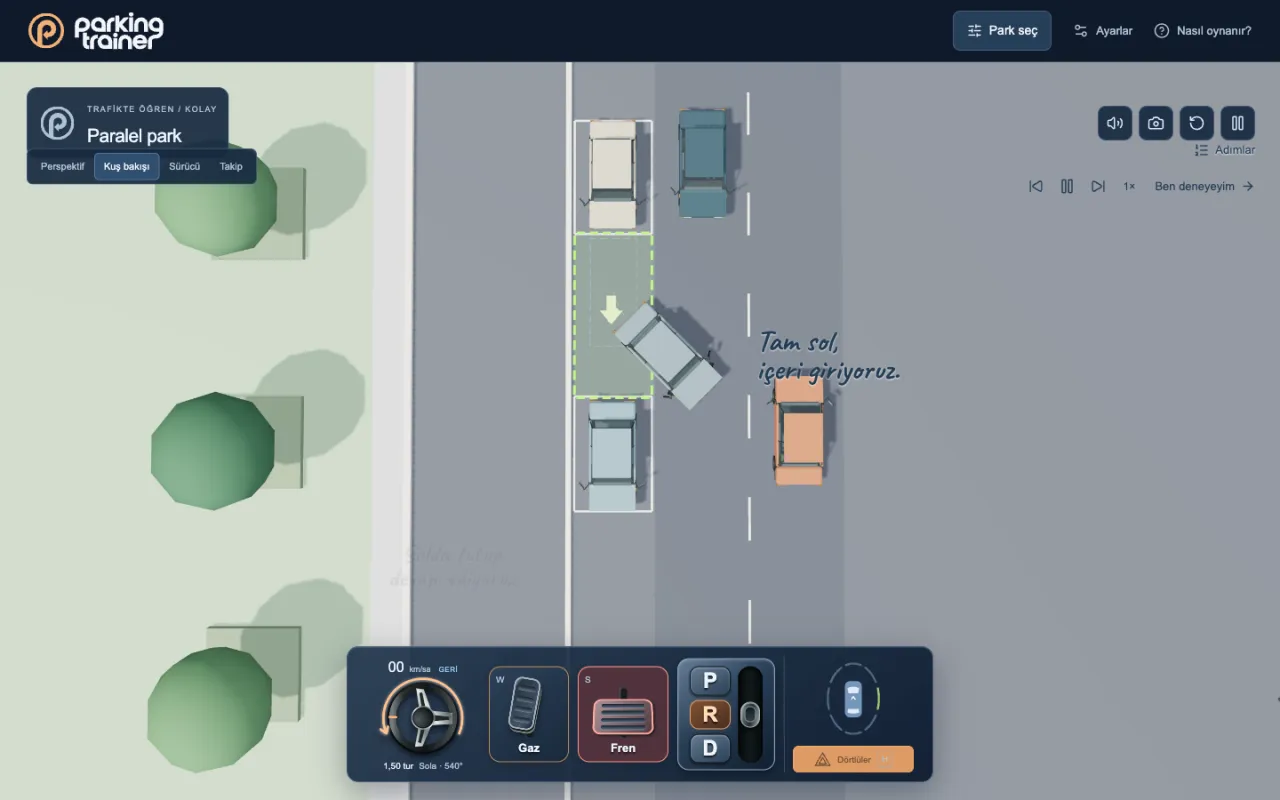
Park in traffic
Parking with two-way traffic is a different game. Cars slow down and stop behind the car in front. Switch on your hazards and start reversing, and the car behind backs off to give you room if it can.
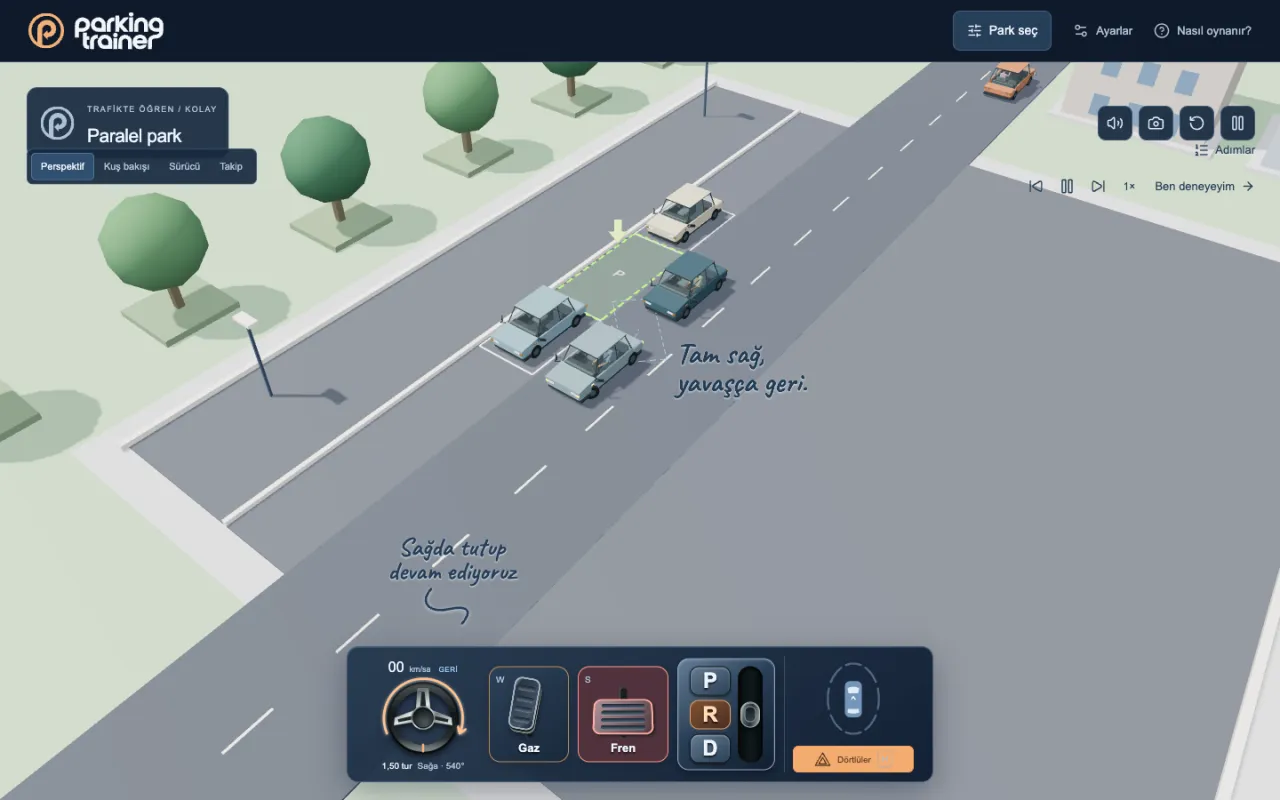
Driver’s seat
Switch to the driver camera and you are behind the wheel. The rear-view and side mirrors show the world live. Look left, look right, and turn over your right shoulder when reversing.
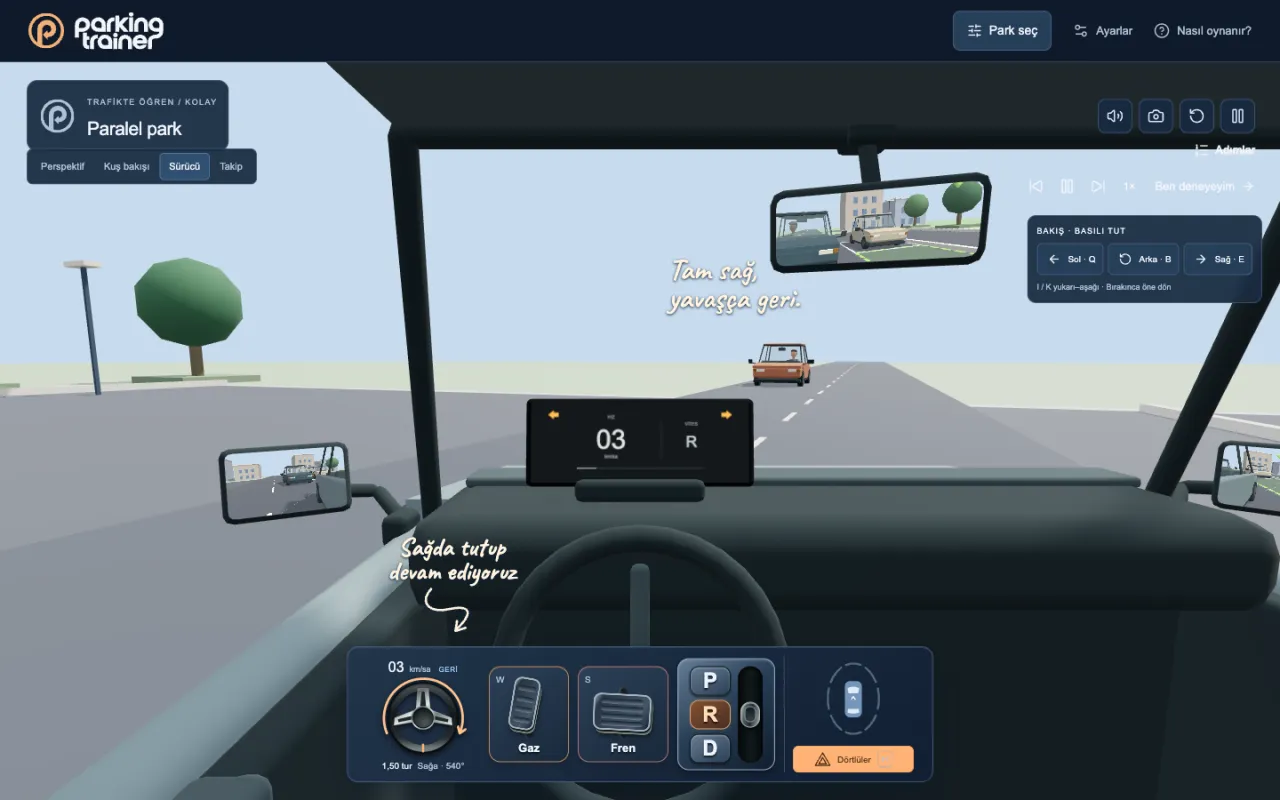
Controls and sensors
Grab the wheel with your mouse or finger and turn it; a counter shows direction, angle and turns. One and a half turns each way, like a real car. The parking sensor beeps faster as obstacles get closer.
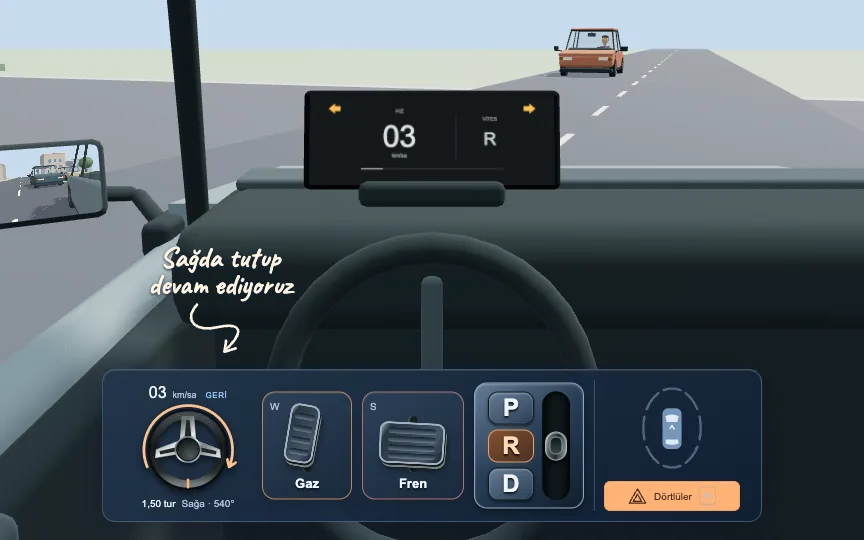
What makes it different
| Topic | Most parking simulators | Parking Trainer |
|---|---|---|
| Learning | Written prompts on screen | An instructor car performs it live while you watch |
| Steering | “Turn left” | Angle and turns on screen: “Left · 540° · 1.5 turns” |
| Setting | An empty, static car park | Two-way traffic that reacts and makes room |
| Mirrors | Decoration | Live rear-view and side mirrors |
| Getting started | Create an account, sign in | Open the page, play |
Timer and score
Every park is scored out of 100. Contacts and time bring the score down. Your best time is kept separately for each manoeuvre, setting and difficulty.
Parallel · In traffic · Hard
94score / 100
New record
Previous best: 0:48.9
Step-by-step guide
The in-game instructor follows exactly this order. Read it here, then watch it in the game.
Switch on your hazard lights as you get ready. Check your mirrors and surroundings.
Pull up next to the car ahead, leaving a gap between you. Brake once you are level.
Shift to R, hold the wheel to the right and reverse slowly. Stop at roughly 45°.
Straighten the wheels and reverse a little more at that angle, making room for your front corner.
Turn left and keep reversing. Stop once you are parallel to the kerb line.
Straighten the wheel and select D. Make a small correction forward so there is room on both sides.
Keep the brake pressed. Once the car is fully stopped, select P. You are parked.
Switch on your hazard lights as you get ready. Check your mirrors and surroundings.
Look around and move forward in D. Stop where you can turn comfortably, without hugging the bay.
Turn the wheel right. Swing slowly until the nose points at the middle of the bay, checking both sides.
Once you are in line with the markings, straighten the wheel and drive fully in. Brake when centred.
Keep the brake pressed. Once the car is fully stopped, select P. You are parked.
Switch on your hazard lights as you get ready. Check your mirrors and surroundings.
Check your mirrors. Drive slightly past the bay and stop, giving yourself room to swing in from behind.
Once fully stopped, select R and turn the wheel right. Watch both sides in the mirrors as you reverse.
When you are parallel to the lines, centre the wheel and reverse slowly. Brake inside the bay.
Keep the brake pressed. Once the car is fully stopped, select P. You are parked.
Steps are for right-hand traffic. In a real car, always follow your instructor and local road rules.
FAQ
No. Parking Trainer runs in your browser. Open the page and hit “Play”; there is nothing to install and no sign-up.
The game interface and tutorial notes are currently in Turkish. The steering angle, pedal and gear cues are visual, so you can follow the manoeuvres by watching.
Yes. Grab the wheel with your finger, and tap the pedals and gears. On a computer you can use the mouse or keyboard.
Pick a manoeuvre and press “Öğreticiyi izle” (watch the tutorial). The instructor does it step by step. When you feel ready, hit “Ben deneyeyim” (let me try) and take control.
Bays get tighter from Easy to Medium to Hard. In traffic mode, the number of cars and the traffic speed go up too.
The car must be fully inside the dashed bay and properly aligned. Stop completely and hold the brake or shift to P. For reverse parking, you must enter the bay backwards.
In the browser you play on. Your best time is kept for each manoeuvre, setting and difficulty. A different device or browser starts fresh.
No. Parking Trainer helps you understand reference points and the order of a manoeuvre. It does not replace real driving lessons or your driving test.
Nothing to install, no sign-up. Open the page and start the tutorial.
Play now